
Check SASSA Status on Moya App
Here’s another way to check your SASSA Social Relief of Distress (SRD) status using the Moya App.
- You can find and download the official Moya App from the Google Play Store for Android devices or the Apple App Store for iOS devices.
- Open the app and look for the “Discover” tab on the home screen or in the main menu.
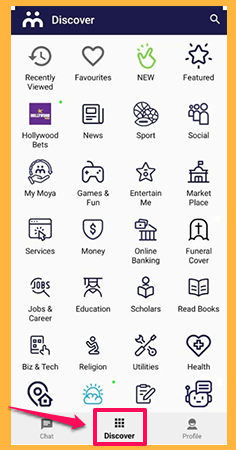
- In the Discover section, scroll to the “Services” category and look for the SRD (Social Relief of Distress) icon.
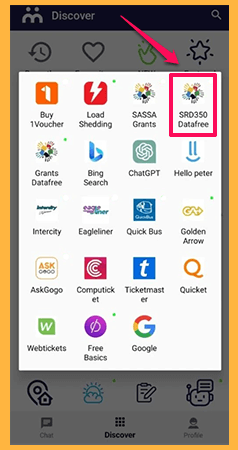
- Clicking on the SRD icon will open a safe, data-free browser window for the SASSA SRD website.
- Please fill out the following information in the “Status Check” window:
- South African ID number
- Phone number (used when applying for the Grant)
- Press the “Check Status” button. Next, Moya App will get your Current Application Status and show it to you. This could be “Approved,” “Pending,” or “Declined.”